Case study 01 · AI Influencer
Sasha Kirana, a creator who doesn't exist.
Sasha is an AI-generated influencer I created to promote affiliate products. Every face, outfit and scene is generated — but the goal is content that feels genuinely human.
Video 1 — Maybelline lip tint
Product
Lip tint
Tools
A casual “get ready with me” beauty clip. The challenge: make a product demo look like it was filmed on a phone in a real bedroom.
Watch on InstagramStep 01
Generate the first frame
I combine a character sheet and a product photo as references with a text prompt. The resulting image becomes the opening scene of the video — it locks in Sasha's face and the exact product.
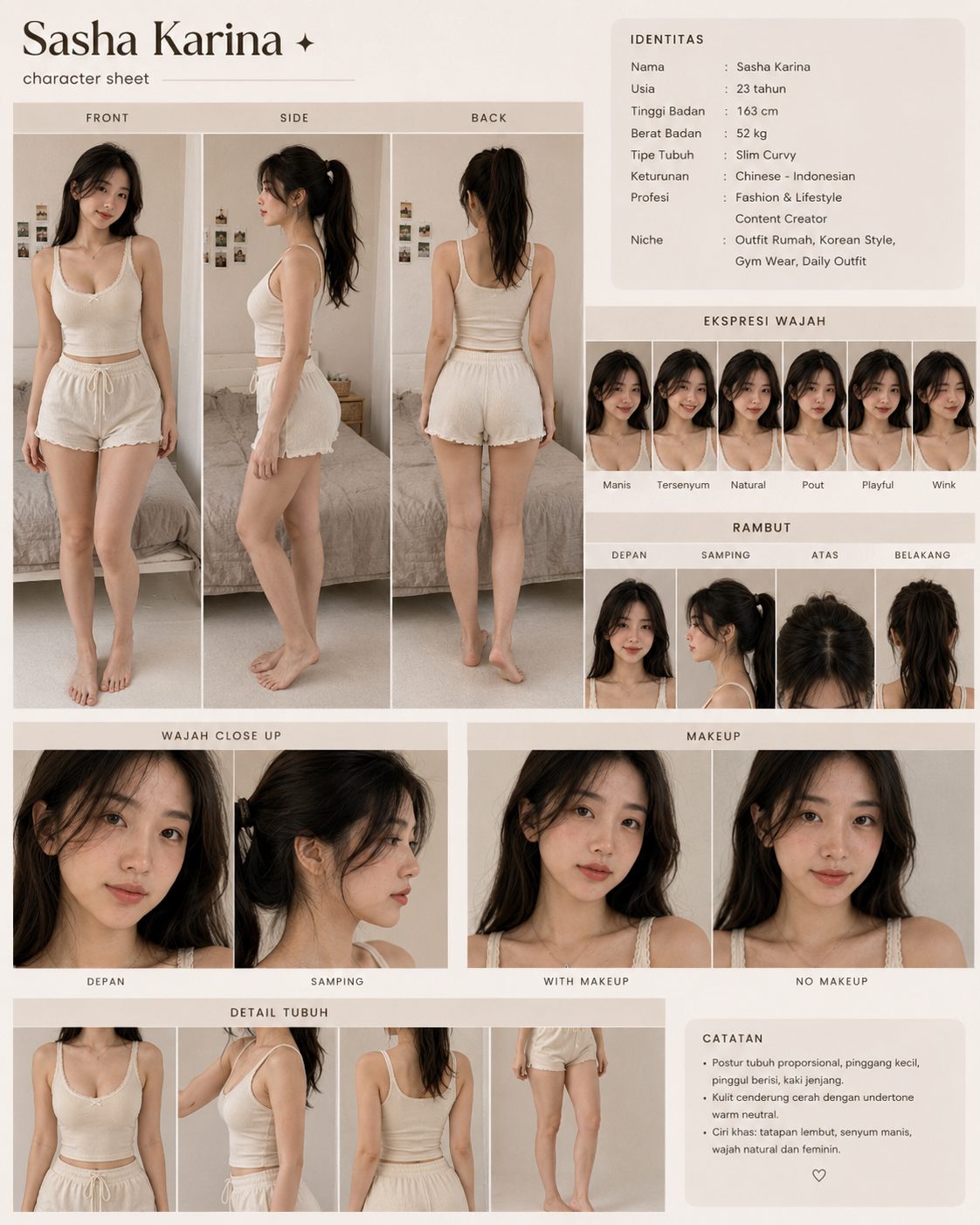
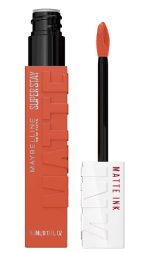
Step 02
Animate it with a detailed prompt
The generated image is used as the first scene, then a very specific prompt directs the motion, lighting, camera angle and the “no AI look” feel.
Prompt
“Close-up selfie video in a cozy bedroom at 10 AM, realistic Indonesian-Chinese woman Sasha Kirana sitting in front of a vanity mirror, wearing a white ribbed tank top and white short pants, natural messy long black hair, bare face no makeup, soft matte pink nude lips after using lipcream, holding a Maybelline SuperStay Matte Ink lipcream close to the camera with one hand. She slowly and naturally wiggles the lipcream product toward the phone camera while maintaining eye contact, subtle hand movement only, slight natural breathing, soft blinking, tiny head tilt, realistic human motion. Camera is placed on the vanity table with a slightly low side angle, handheld iPhone front-camera aesthetic, natural sunlight entering the bedroom, cozy warm tones, candid social media vibe, no AI look, realistic skin texture, slight camera micro-shake, natural hair movement, authentic TikTok beauty content style, shallow depth of field, smooth feminine motion, ultra realistic smartphone video quality, 9:16 vertical format.”
Step 03
Edit in CapCut
Once every scene is generated, I assemble them in CapCut, trim the pacing and add light edits to finish the video.
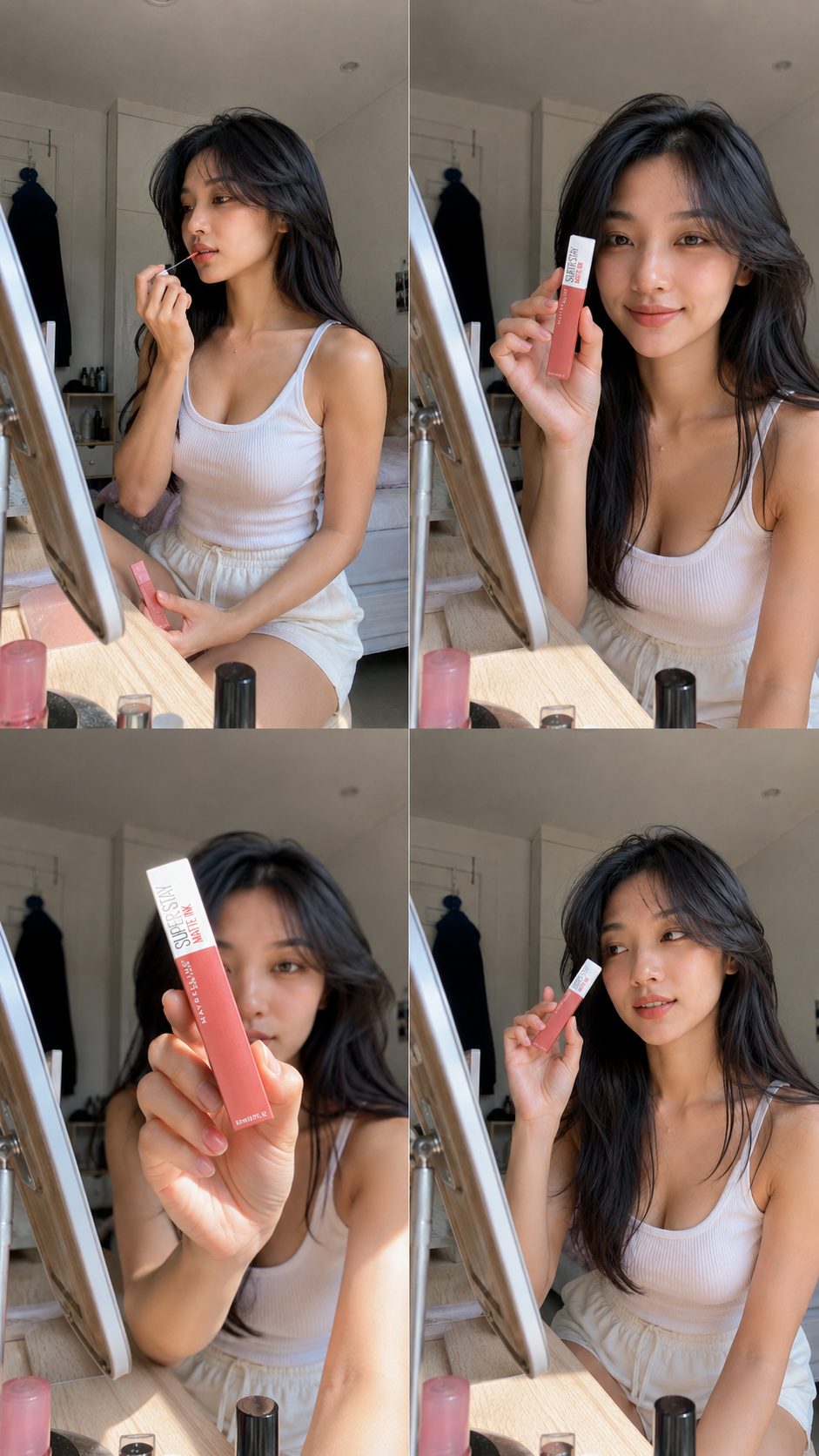
Challenges
- 01The lip colour after applying the tint didn't always match the real product shade.
- 02Text and branding on the packaging get distorted — especially on small products.
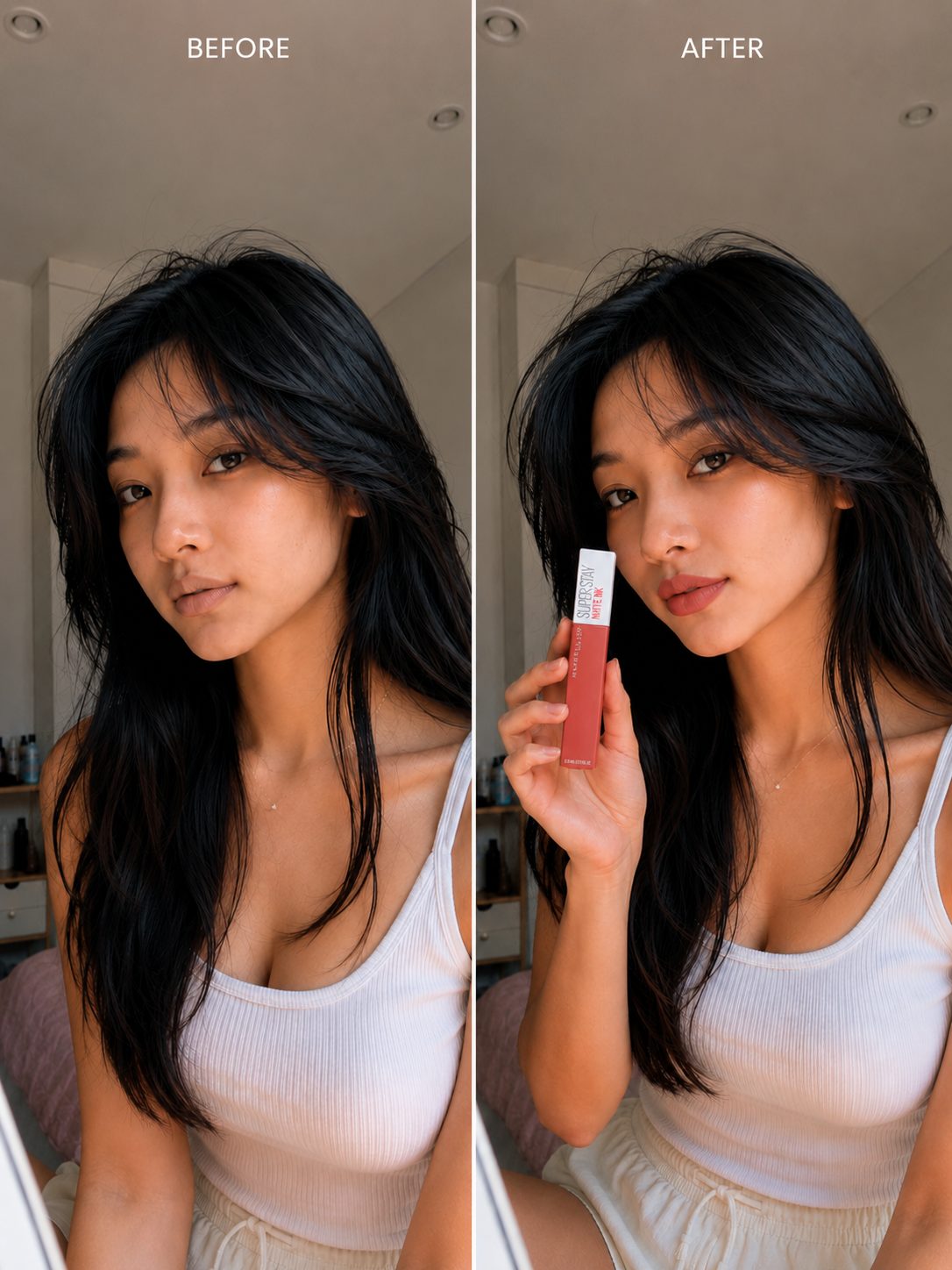
Before & after reference used to keep the lip colour consistent
Video 2 — Sportswear
Product
Sportswear
Tools
For this campaign I built a reusable workflow, so every new product video takes minutes instead of hours.
Step 01
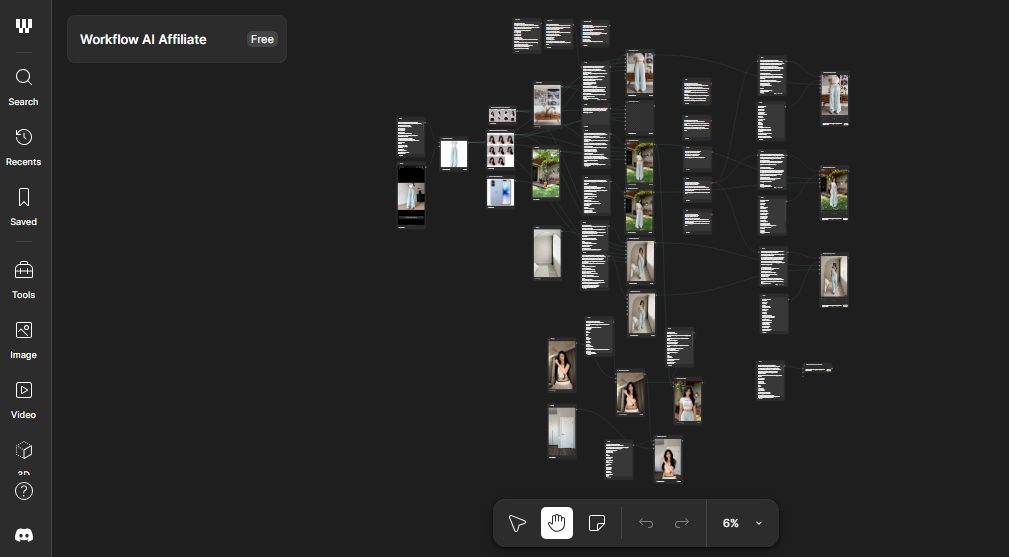
Build the workflow once
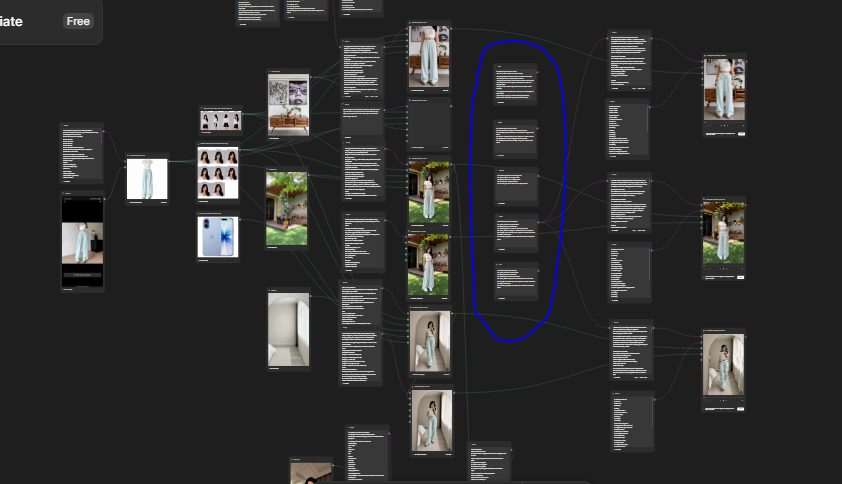
In Figma Weave I connected every node — from product cut-out to final video — into one pipeline.
Step 02
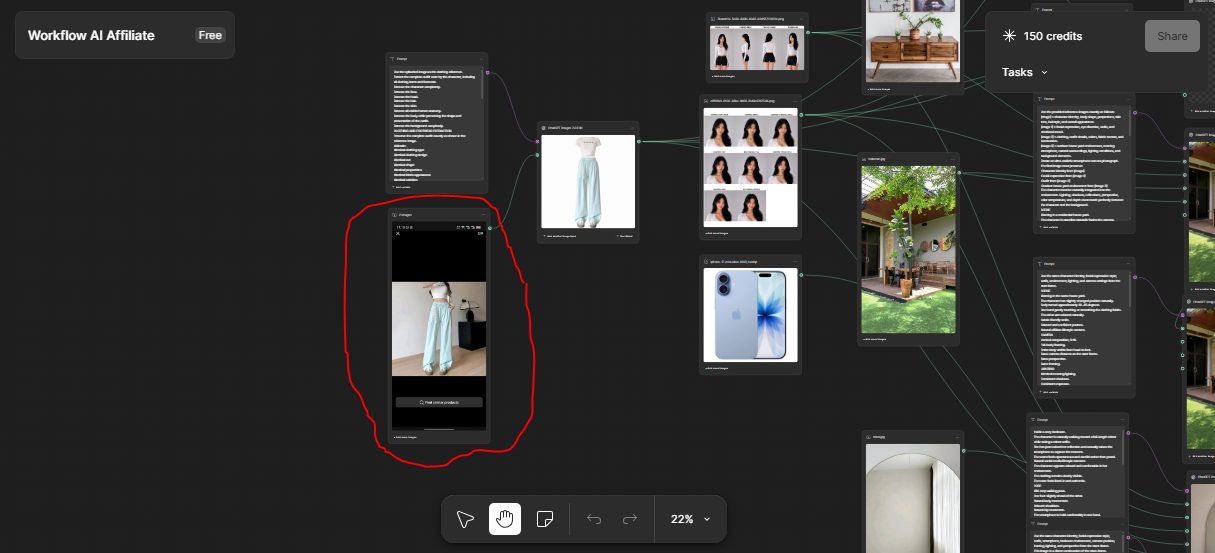
Isolate the outfit
A screenshot from an e-commerce listing is regenerated into a clean outfit on a plain white background.
Step 03
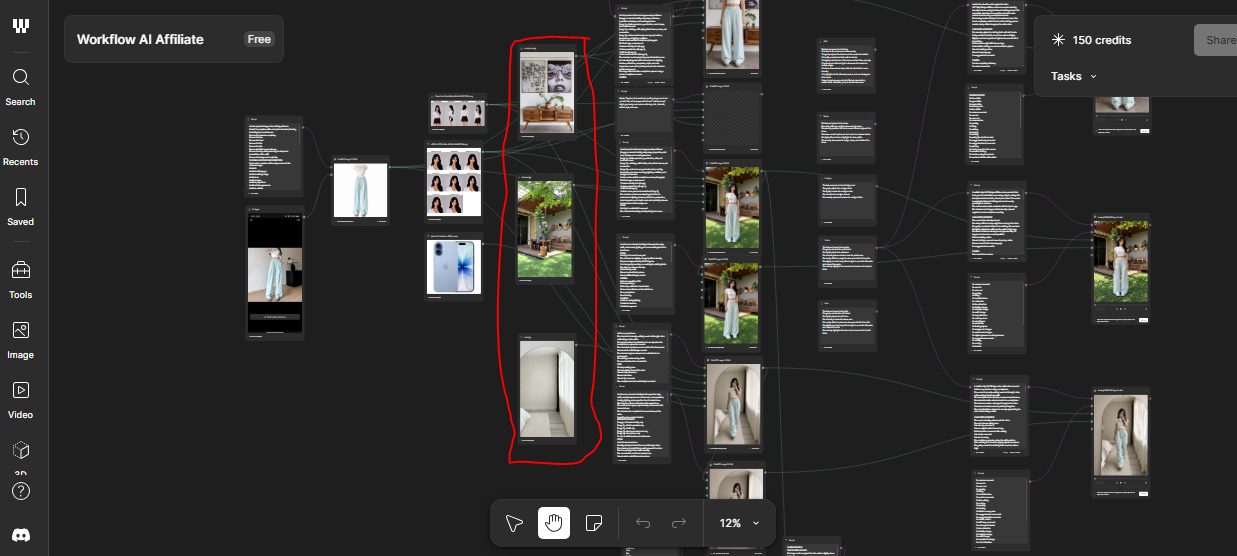
Choose a location
I add the background scene where Sasha will appear.
Step 04
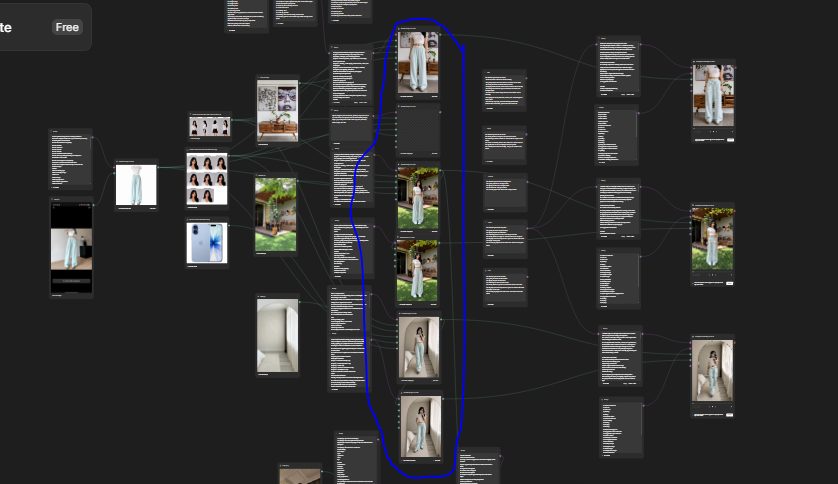
Generate the photo
The workflow combines character, outfit and location into a single photo.
Step 05
Pick the product highlight
I decide which item the video should focus on.
Step 06
Turn it into video
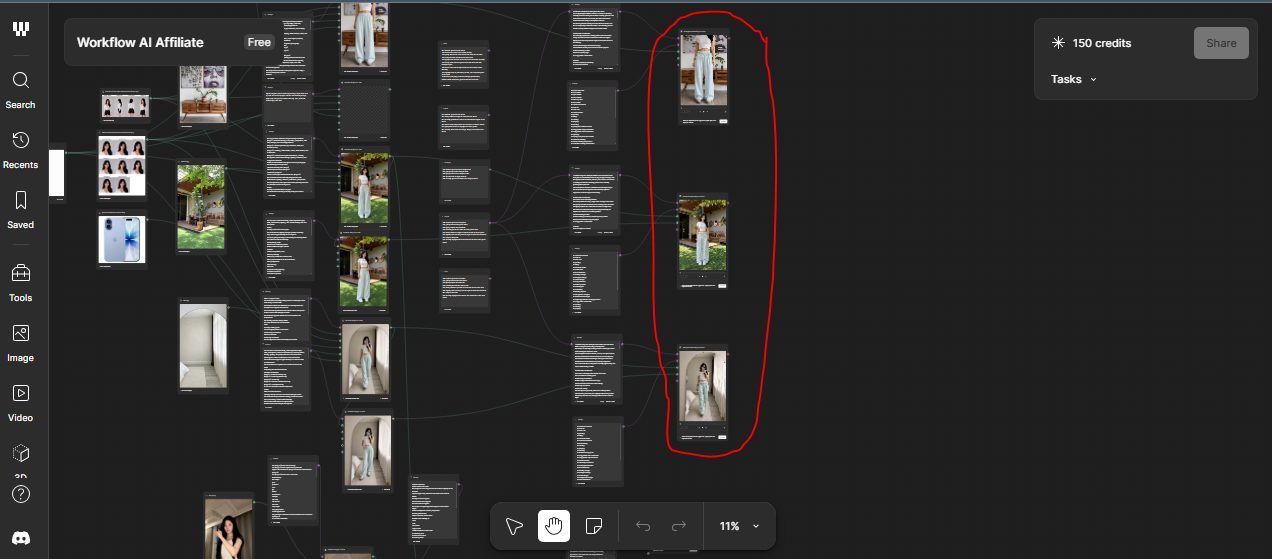
The final node animates the photo into a short product video with Kling.
Step 07
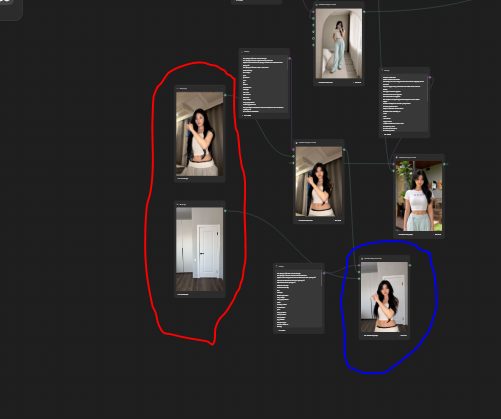
Motion control with Kling
For motion control I feed a slowed-down reference video plus the location (red circle). The blue circle shows the result — Sasha copying the exact movement.
Challenges
- 01Kling V3 sometimes still produces footage that looks slightly AI-generated.
- 02With motion control, the background can look separated from the character.